



Removing Unwanted People from Photos Without Masks: A Prompt-First Workflow
A practical workflow for cleaning up photos by describing who to remove in words, with prompt patterns, common failure modes and a pre-publish checklist.



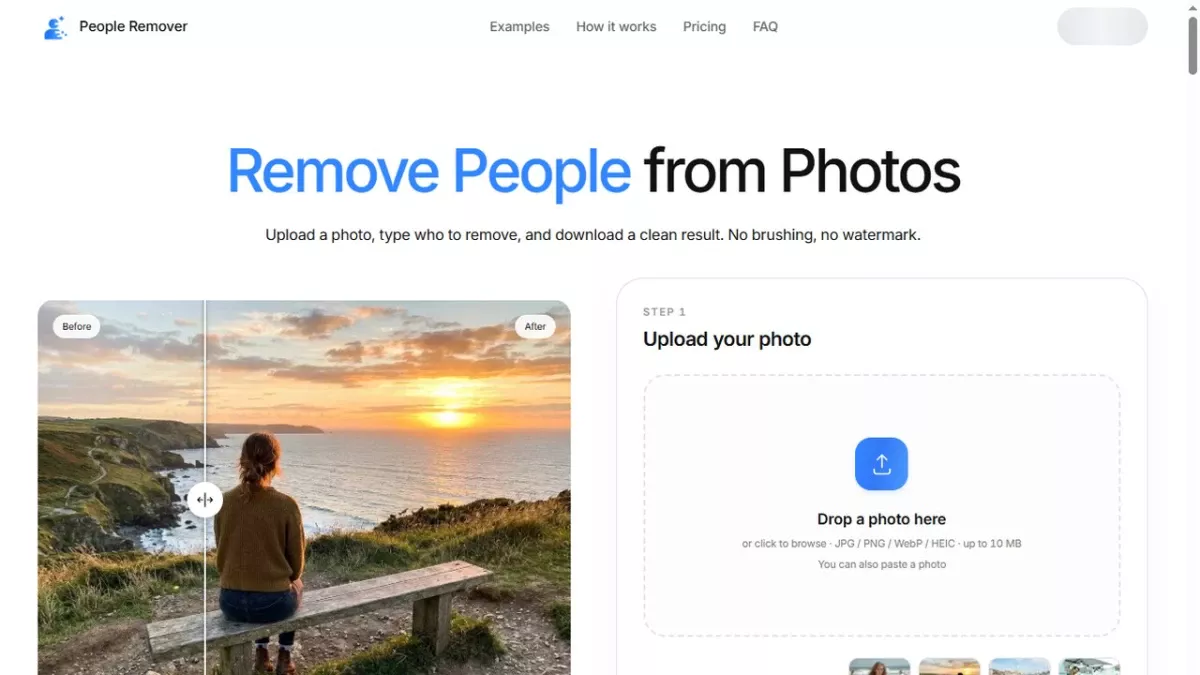
A good photo often survives one bad detail: a stranger at the edge of a landmark shot, a passerby in a listing photo, or someone who no longer belongs in the frame. Traditional retouching handles this with masks, clone stamps and patience. A newer class of tools asks you to describe the unwanted person in a sentence instead. People Remover is built around that idea: upload a photo, type who to remove, and download a clean result.
That shift matters for anyone producing images at volume - real estate agents, travel writers, social teams, marketplace sellers - because the bottleneck stops being brushwork and becomes phrasing. If you can say "remove the woman in the red jacket", you can finish the edit.
Why masking is the wrong default for most people
A mask is a precise answer to an imprecise question. You have to decide which pixels belong to the person, which belong to the background behind them, and where the boundary sits on hair, fingers and half-covered objects. That is skilled work, and it is slow when a photo only needs one small fix.
Prompt-first removal reverses the order. You describe the target in ordinary language, the model proposes a cut, and you judge the result by looking at it. The skill you need is descriptive accuracy rather than brush control, which is why the workflow scales to people who are not retouchers.
The four details that make a removal prompt work
Position. "The man on the left", "the person at the far right of the bench", "the two people behind the fountain". Position is the cheapest disambiguator and the first thing to add when a result picks the wrong subject.
Clothing. Colour and garment type survive compression and motion blur better than faces. "The woman in the red jacket" is a stronger instruction than "the woman in the middle" when several people stand close together.
Action or posture. "The child sitting on the steps" or "the cyclist passing behind me" separates a subject from a crowd that otherwise looks uniform.
Group scope. Decide whether you want one person gone or the whole background cleared. "Remove everyone in the background" and "remove all people except the bride" are different jobs, and stating the exception up front avoids a second pass.
A repeatable five-step workflow
1. Work on a copy of the original file and keep the untouched version. Removal is generative, so a second attempt is only possible if the source still exists.
2. Upload the photo at the largest size you have. People Remover accepts JPG, PNG, WebP and iPhone HEIC/HEIF up to 10 MB, and converts HEIC in the browser.
3. Write one sentence that combines position, clothing or action. Read it back and ask whether a stranger could identify exactly one person from it.
4. Compare the before and after at full size, paying attention to edges: hair against sky, hands near railings, shadows on the ground, reflections in glass.
5. If the result is close but not clean, add one detail and run it again rather than starting a manual repair. Iterating on the sentence is faster than repairing a mask.
Where this workflow earns its place
Real estate photography is the clearest case. Listing images look better without neighbours, dog walkers or cars in the frame, and a photographer shooting ten properties a week cannot hand-mask every frame. Travel photos are the second: landmarks are rarely empty, and describing the crowd behind you keeps the monument and your own group intact.
Marketplace and thrift listings benefit too, because a clean product photo reads as more professional than one with a roommate visible in the mirror. Family and personal photos are the third case - sometimes the goal is simply to keep a good picture of a good day without one person in it.
Failure modes worth knowing before you publish
Vague instructions. "Remove the person" fails when there are four people. The fix is always more specificity, not a different tool.
Crowded edges. When a subject overlaps a railing, a sign or another person, leftover fragments are common. Crop tighter before removing, or describe the overlap explicitly.
Shadows and reflections. A removed person can leave a shadow patch or a reflection in a shop window. Check the ground and any glass in the frame at 100 percent zoom.
Over-cleaning. Some photos are better with the crowd left in. A busy street scene can lose its sense of place when every passerby disappears.
A short pre-publish checklist
Keep the original file. Confirm the export format and resolution match where the image will be used. Check edges, shadows and reflections at full size. Confirm the result is honest for its context - cleaning a personal photo is one thing, altering documentary or news imagery is another. Then export in JPG, PNG or WebP without a watermark.
Prompt-first removal will not replace a retoucher for complex composites, and it is not meant to. It removes the routine, low-value masking work that used to sit between a good photo and a published one, which is exactly the work most teams never had time for.
Reward this post with your reaction or TipDrop:
 Like
0
 Dislike
0
 Love
0
 Funny
0
 TipDrop
0
 Sad
0
 Angry
0















Comments (0)